
SmallCityDave_imp
First service completed
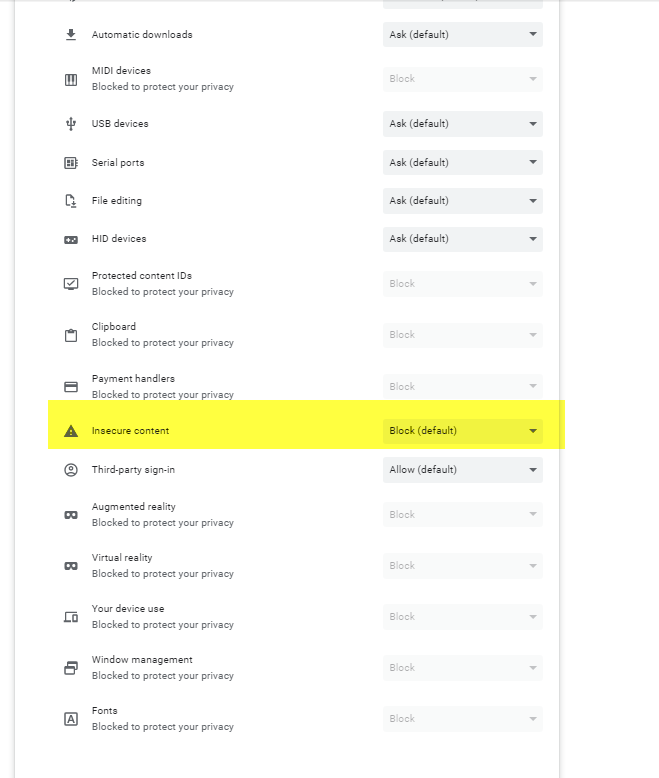
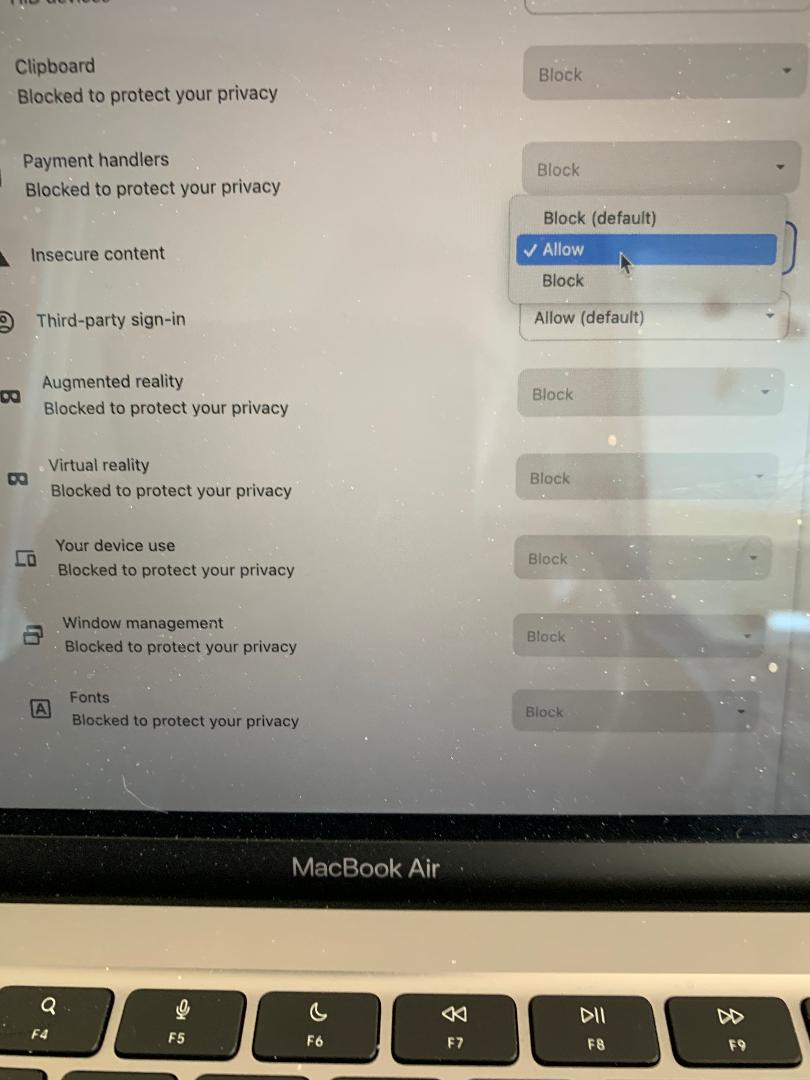
It finally worked!peterbaron_imp said:In the chrome address bar type in
Honda CB1100 Forum - For fans of Honda's CB1100
If it doesn't work, right click on chrome address bar and delete s from https, and then delete everything that is after .com including /
so will bring you back to
Honda CB1100 Forum - For fans of Honda's CB1100
and press enter and follow CB1100 Forum < may need to enter again
I am not computer expert, so my explanation may not look so professional
If it's fixed, in the google address bar will show you a little triangle with ! inside of it Not secure
If it doesn't work then let me know, so will provide pics?
This is how I fixed mine.
One caveat, I'm not using Chrome. Chrome has always worked for me as did Firefox but my primary browser is Brave.
My issue (and perhaps others) has to do with security, in Chrome and Firefox to the left of the address bar it says "not secure" once I managed to turn off that security feature (in Brave) it displays correctly. For me it was turning off "Brave Shield".
Thanks again Peter I followed your steps and I toggled off security on this site.






 :rofl:


