rdprdp01
Administrator
Thread starter
Please be advised that we have completed the design and development work to allow for “Dark Mode” viewing on CB1100 Forum. That function is controlled by a toggle switch in the User CP profile.
To place your CB1100 Profile into dark mode, access the CB1100 Forum and Login with your credentials:
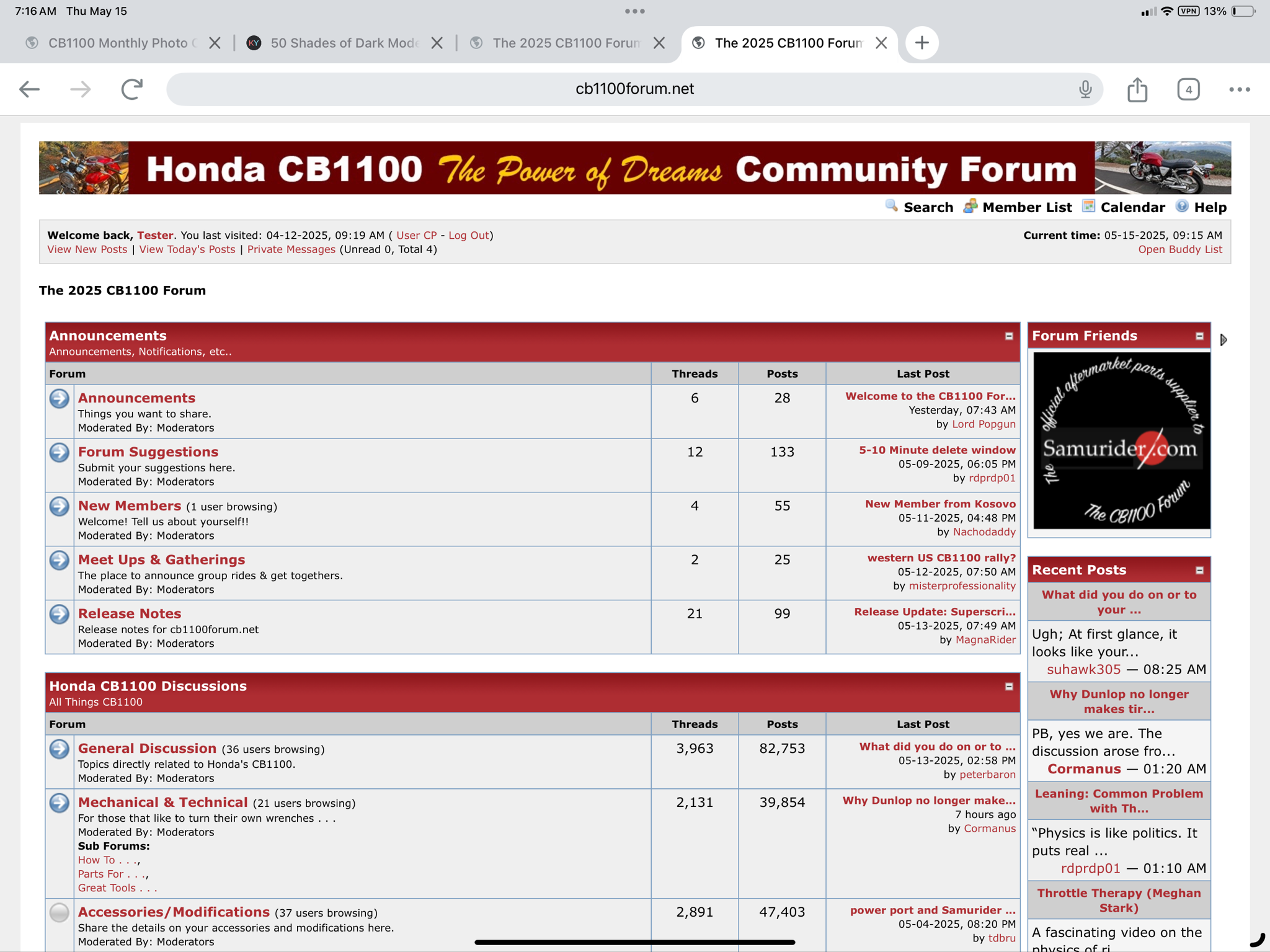
Click on the User CP link located below the CB1100 Header:
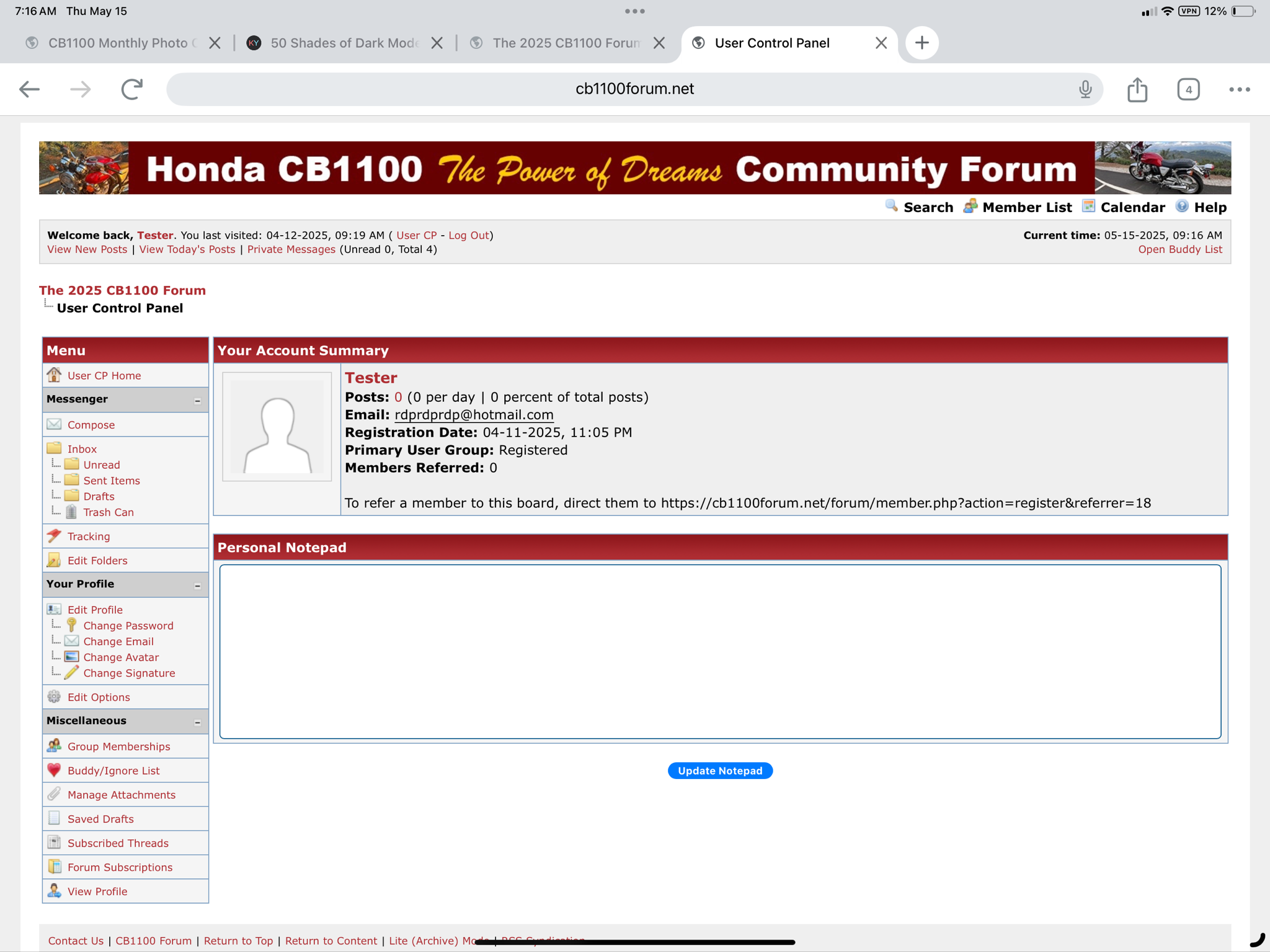
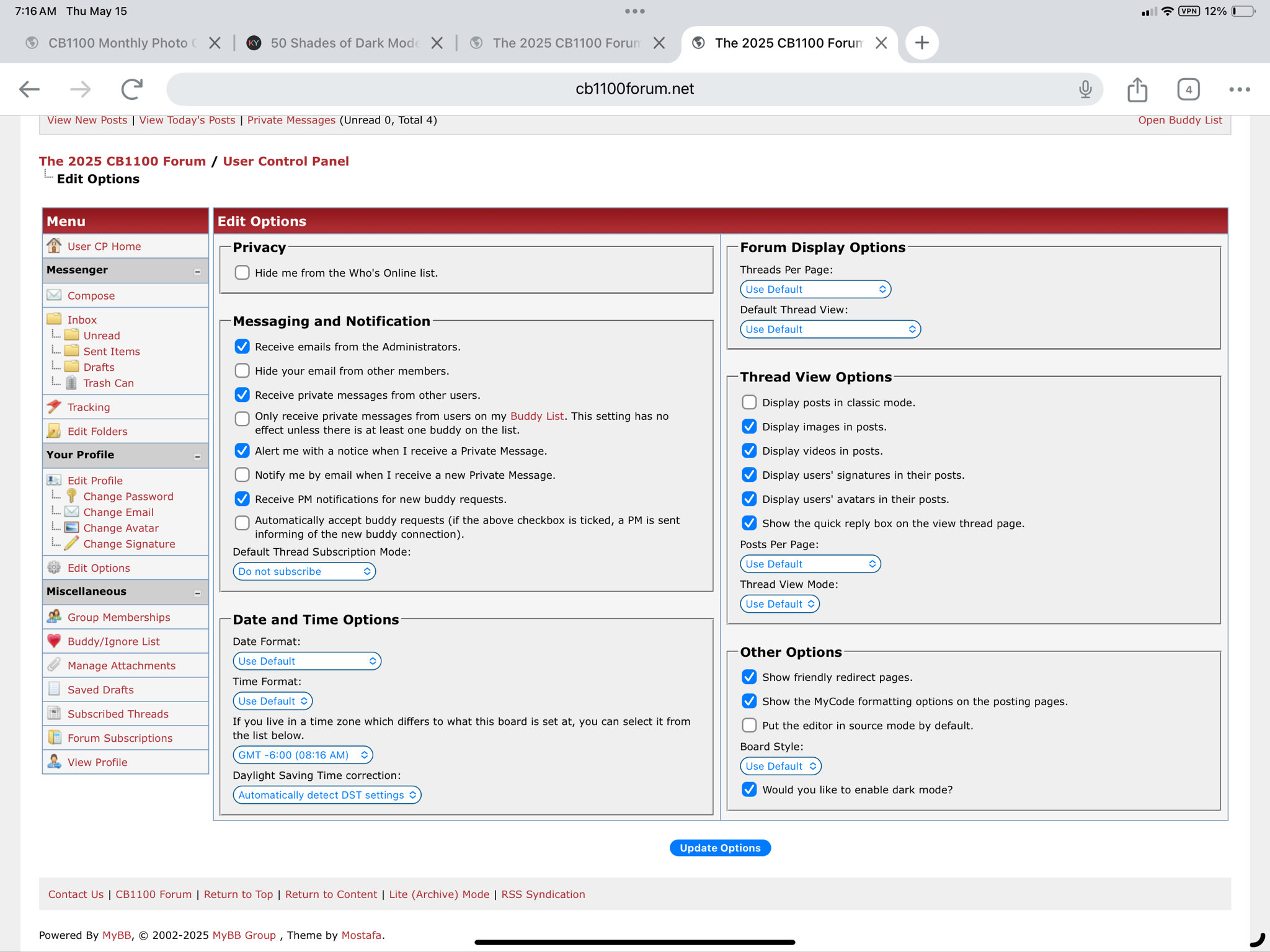
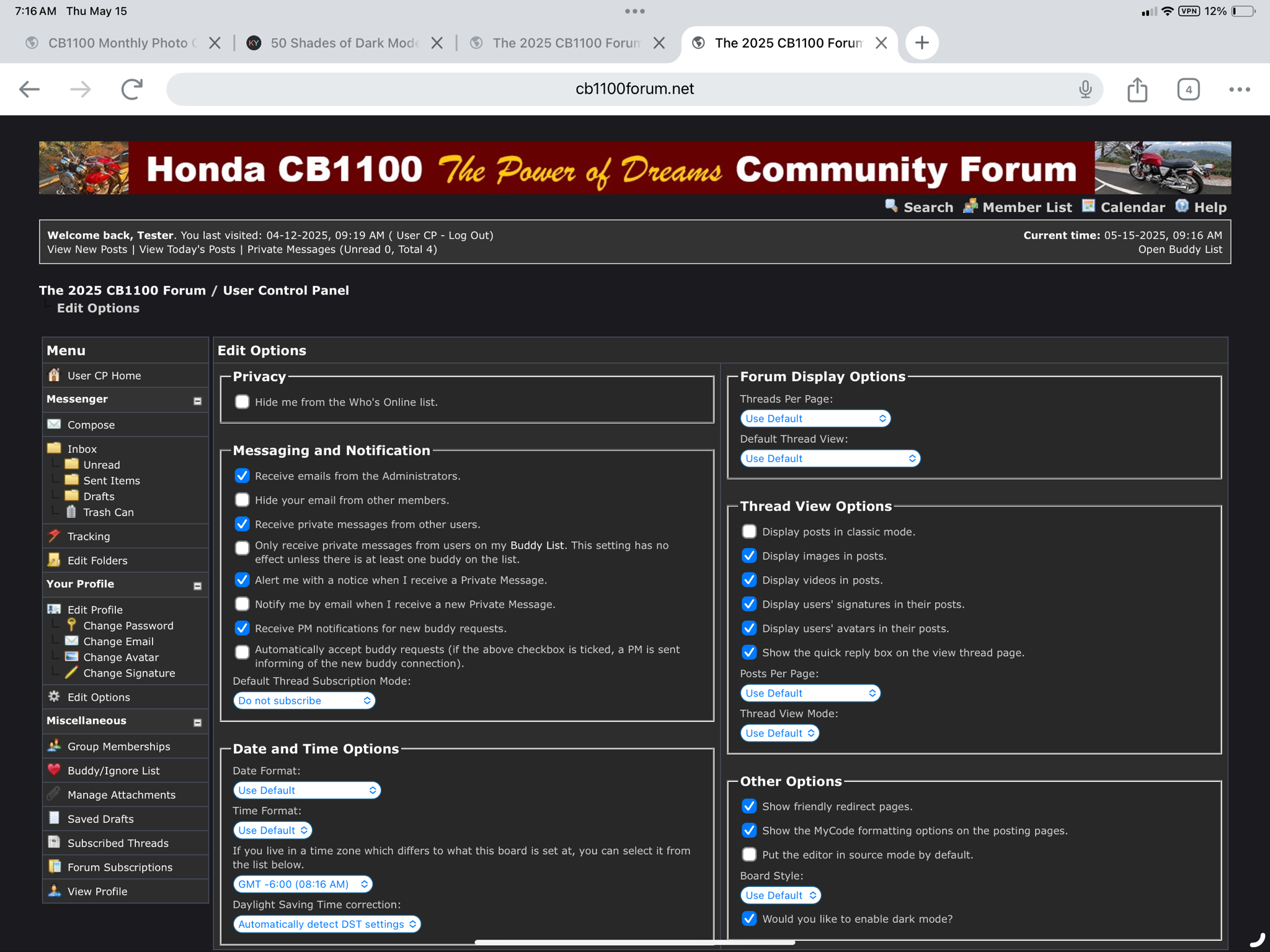
Click on Edit Options and then Select the option in the lower right hand corner of your screen that reads “Would you like to enable dark mode?” and then select Update Options:
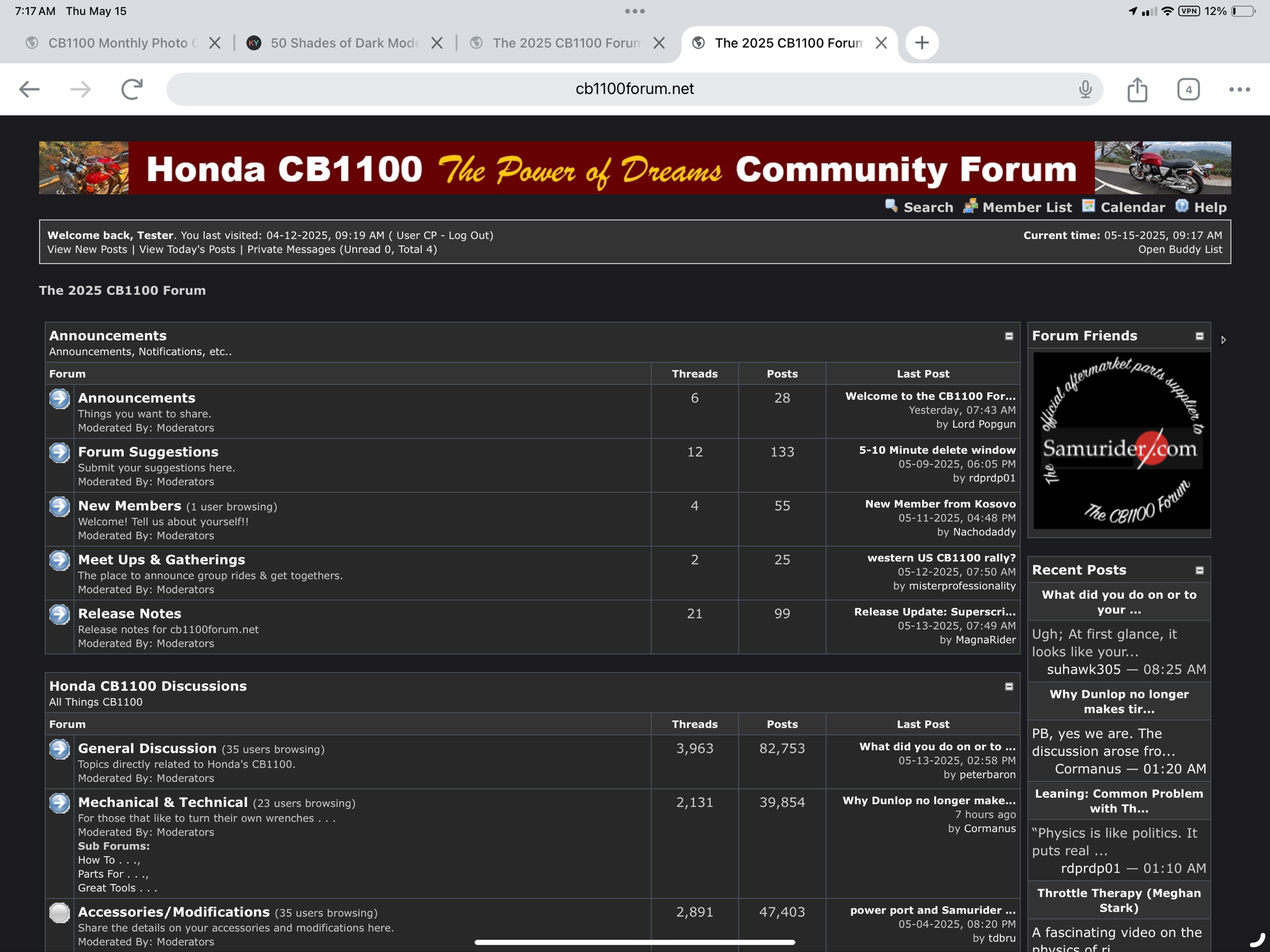
Your profile will then be placed into Dark Mode Viewing on the CB1100 Forum:
Apple devices often require a Cache to be cleared for this kind of setting change to be made. If your device does not go into dark mode, clear your browser cache, reboot your device, access the Forum, and login again.
Note on phones, the Responsive Theme we have built assumes you will be viewing the Forum while holding your Phone in a landscape position.
If you wish to return to the default “Light Mode” viewing for the Forum, de-select the Dark Mode option, click on update profile, clear your cache, and restart your device.
Have a great day and be safe on your motorcycle.
David
To place your CB1100 Profile into dark mode, access the CB1100 Forum and Login with your credentials:
Click on the User CP link located below the CB1100 Header:
Click on Edit Options and then Select the option in the lower right hand corner of your screen that reads “Would you like to enable dark mode?” and then select Update Options:
Your profile will then be placed into Dark Mode Viewing on the CB1100 Forum:
Apple devices often require a Cache to be cleared for this kind of setting change to be made. If your device does not go into dark mode, clear your browser cache, reboot your device, access the Forum, and login again.
Note on phones, the Responsive Theme we have built assumes you will be viewing the Forum while holding your Phone in a landscape position.
If you wish to return to the default “Light Mode” viewing for the Forum, de-select the Dark Mode option, click on update profile, clear your cache, and restart your device.
Have a great day and be safe on your motorcycle.
David