Navigation
Install the app
How to install the app on iOS
Follow along with the video below to see how to install our site as a web app on your home screen.
Note: This feature may not be available in some browsers.
More options
Style variation

You are using an out of date browser. It may not display this or other websites correctly.
You should upgrade or use an alternative browser.
You should upgrade or use an alternative browser.
PHOTOBUCKET DILEMMA
- Thread starter Hiram E. Varona_imp
- Start date

Curlyjoe,nvbobr_imp said:Curlyjoe,curlyjoe_imp said:I don't use photobucket, but are you all pasting the direct link code into the "insert image" option on the forum (where it requests the Image URL)? That should work.
Here's one of nvbobr images using photobucket direct link code and using the "insert image" on the forum.

Where the photobucket share options are
Email & IM
Direct
HTML
IMG
I have always just copied the IMG code into the body of my posts.
Where the photobucket share options are
Email & IM
Direct
HTML
IMG
I have always just copied the IMG code into the body of my posts.
The IMG code from photobucket has an odd format which is more complex than need be. Perhaps that's why we are seeing the odd behavior.
Code:

This is all that is necessary:
Code:

Alternatively, you can copy the direct link from photobucket and in the forum post click on the insert image icon (see below) and in the dialog box that pops up, right click and choose paste from the popup and then click OK.
Right click and choose paste from the dialog box (below). Then click OK.

curlyjoe,
You're right that the format of the IMG code is odd, but it seems to be the case only on some Photobucket pages. For example, if I copy the IMG code from PB, I only get the IMG reference while others seem to get it preceded by the URL code. In other words, PB seems to treat what goes in the IMG box differently.
In practical terms it doesn't make any difference. The images display just fine on the forum, although it may well explain why, when you click on some images it displays the PB page, not just the image. That's not always the case, though. Even when the link is only to the image, Photobucket redirects it to the page where the image is embedded. If you want to test what happens when you click on what is supposed to be a link directly to the image, try the links in one of my Seat Time posts which contain only the IMG link.
For Popgun's benefit, Photbucket stores the images at an address that starts "ixxx". Normally it displays the image on a page where it is surrounded by lots of Photobucket propaganda. The URL for those pages starts with "sxxx". Theoretically, when a user clicks on a link to a page with an "ixxx" address, their browser should display just the image. That isn't happening and all links are being redirected to the "sxxx" page. I have found that, even when I copy the "ixxx" link and paste it into the address bar in the browser, I get the same redirect problem.
I don't know, but it looks to me like an issue at the Photobucket end. I'm pretty sure it isn't a problem with the forum software.
You're right that the format of the IMG code is odd, but it seems to be the case only on some Photobucket pages. For example, if I copy the IMG code from PB, I only get the IMG reference while others seem to get it preceded by the URL code. In other words, PB seems to treat what goes in the IMG box differently.
In practical terms it doesn't make any difference. The images display just fine on the forum, although it may well explain why, when you click on some images it displays the PB page, not just the image. That's not always the case, though. Even when the link is only to the image, Photobucket redirects it to the page where the image is embedded. If you want to test what happens when you click on what is supposed to be a link directly to the image, try the links in one of my Seat Time posts which contain only the IMG link.
For Popgun's benefit, Photbucket stores the images at an address that starts "ixxx". Normally it displays the image on a page where it is surrounded by lots of Photobucket propaganda. The URL for those pages starts with "sxxx". Theoretically, when a user clicks on a link to a page with an "ixxx" address, their browser should display just the image. That isn't happening and all links are being redirected to the "sxxx" page. I have found that, even when I copy the "ixxx" link and paste it into the address bar in the browser, I get the same redirect problem.
I don't know, but it looks to me like an issue at the Photobucket end. I'm pretty sure it isn't a problem with the forum software.
I think you are right. It's too bad posting photos on forums is still a relatively difficult and time consuming process.Cormanus_imp said:curlyjoe,
You're right that the format of the IMG code is odd, but it seems to be the case only on some Photobucket pages. For example, if I copy the IMG code from PB, I only get the IMG reference while others seem to get it preceded by the URL code. In other words, PB seems to treat what goes in the IMG box differently.
In practical terms it doesn't make any difference. The images display just fine on the forum, although it may well explain why, when you click on some images it displays the PB page, not just the image. That's not always the case, though. Even when the link is only to the image, Photobucket redirects it to the page where the image is embedded. If you want to test what happens when you click on what is supposed to be a link directly to the image, try the links in one of my Seat Time posts which contain only the IMG link.
For Popgun's benefit, Photbucket stores the images at an address that starts "ixxx". Normally it displays the image on a page where it is surrounded by lots of Photobucket propaganda. The URL for those pages starts with "sxxx". Theoretically, when a user clicks on a link to a page with an "ixxx" address, their browser should display just the image. That isn't happening and all links are being redirected to the "sxxx" page. I have found that, even when I copy the "ixxx" link and paste it into the address bar in the browser, I get the same redirect problem.
I don't know, but it looks to me like an issue at the Photobucket end. I'm pretty sure it isn't a problem with the forum software.
Indeed, although I'm not sure how it could be made easier given that linking to other sites keeps the space required to store the forum manageable.curlyjoe_imp said:I think you are right. It's too bad posting photos on forums is still a relatively difficult and time consuming process.Cormanus_imp said:curlyjoe,
You're right that the format of the IMG code is odd, but it seems to be the case only on some Photobucket pages. For example, if I copy the IMG code from PB, I only get the IMG reference while others seem to get it preceded by the URL code. In other words, PB seems to treat what goes in the IMG box differently.
In practical terms it doesn't make any difference. The images display just fine on the forum, although it may well explain why, when you click on some images it displays the PB page, not just the image. That's not always the case, though. Even when the link is only to the image, Photobucket redirects it to the page where the image is embedded. If you want to test what happens when you click on what is supposed to be a link directly to the image, try the links in one of my Seat Time posts which contain only the IMG link.
For Popgun's benefit, Photbucket stores the images at an address that starts "ixxx". Normally it displays the image on a page where it is surrounded by lots of Photobucket propaganda. The URL for those pages starts with "sxxx". Theoretically, when a user clicks on a link to a page with an "ixxx" address, their browser should display just the image. That isn't happening and all links are being redirected to the "sxxx" page. I have found that, even when I copy the "ixxx" link and paste it into the address bar in the browser, I get the same redirect problem.
I don't know, but it looks to me like an issue at the Photobucket end. I'm pretty sure it isn't a problem with the forum software.

Lord Popgun
Road warrior
Thanks for the explanation Cormanus. It explains the i and s thing 

flynrider
Road warrior
That's what I do. The Photobucket image code seems a bit busy. I just copy the "direct link" at photobucket, click on the "insert image" icon in the forum, then paste the direct link into the resulting box. The forum software just inserts the image code at each end of the "direct link" URL. Like so :curlyjoe_imp said:I don't use photobucket, but are you all pasting the direct link code into the "insert image" option on the forum (where it requests the Image URL)? That should work.
Here's one of nvbobr images using photobucket direct link code and using the "insert image" on the forum.

nvbobr_imp
Running like a top
That's what I do. The Photobucket image code seems a bit busy. I just copy the "direct link" at photobucket, click on the "insert image" icon in the forum, then paste the direct link into the resulting box. The forum software just inserts the image code at each end of the "direct link" URL. Like so :Flynrider_imp said:That's what I do. The Photobucket image code seems a bit busy. I just copy the "direct link" at photobucket, click on the "insert image" icon in the forum, then paste the direct link into the resulting box. The forum software just inserts the image code at each end of the "direct link" URL. Like so :curlyjoe_imp said:I don't use photobucket, but are you all pasting the direct link code into the "insert image" option on the forum (where it requests the Image URL)? That should work.
Here's one of nvbobr images using photobucket direct link code and using the "insert image" on the forum.
I might do the same in the future, but for me the question is whether other members can see images in higher resolution that I post, given the types of computers and browsers they are using. Lots of forum pictures don't need to be enlarged but some do. For example, real pretty seat time pictures and close up "how to" tutorial images might be nice in higher resolution. I certainly know what I can see on my computer, but if Safari and Firefox users can't enlarge a high resolution photo that I post using Photobucket, no matter what code or technique I use, then Photobucket becomes a deal breaker for me. Maybe it's time to find another photo hosting site on the internet (tinypic.com, smugmug, etc.)
I agree with everyone else that this probably isn't a forum software issue. I also really appreciate all the tireless help. Cormanus, my hat is off to you!
Flyn, if I click on your picture in order to enlarge it, it takes me to Private Group Photo & Video Sharing even though the link in your post is clearly to http://i112.photobucket.com/albums/n178/flynrider/catbike_zps0c1a4924.jpg.
Even if I copy the second link and paste it into the address bar, it redirects to the Photobucket page.
I've heard nothing from Photobucket yet.
Edit: Bob, have a look at postimg.org.
Even if I copy the second link and paste it into the address bar, it redirects to the Photobucket page.
I've heard nothing from Photobucket yet.
Edit: Bob, have a look at postimg.org.
nvbobr_imp
Running like a top
Thanks for the tip, Cormanus.Cormanus_imp said:Flyn, if I click on your picture in order to enlarge it, it takes me to Private Group Photo & Video Sharing even though the link in your post is clearly to http://i112.photobucket.com/albums/n178/flynrider/catbike_zps0c1a4924.jpg.
Even if I copy the second link and paste it into the address bar, it redirects to the Photobucket page.
I've heard nothing from Photobucket yet.
Edit: Bob, have a look at postimg.org.
I searched the forum for "postimg" and got 6 pages of posts from members who are using the hosting site successfully. At least on my Chromebook the photos enlarge as promised when there's a higher resolution to be seen. (It is handy, too, that the search picks up these hidden codes.)
I've still heard nothing from Photobucket.

emptysea
Road warrior
This is all very interesting, but I have almost no idea what you guys are talking about. When I post I picture (from my PC using Firefox) from PB, I go to my page, select the picture, click on IMG in the right column, then paste it here.
like this (link modified slightly for demonstration purposes.. URLhttp://s1318.photobucket.com/user/emptysea43/media/17f1c276d0af8685b48d6b95ab6dbab3_zpsgjw0vrgx.jpg.html][IM]http://i1318.photobucket.com/albums...85b48d6b95ab6dbab3_zpsgjw0vrgx.jpg[/IMG][/URL...
and it appears like this
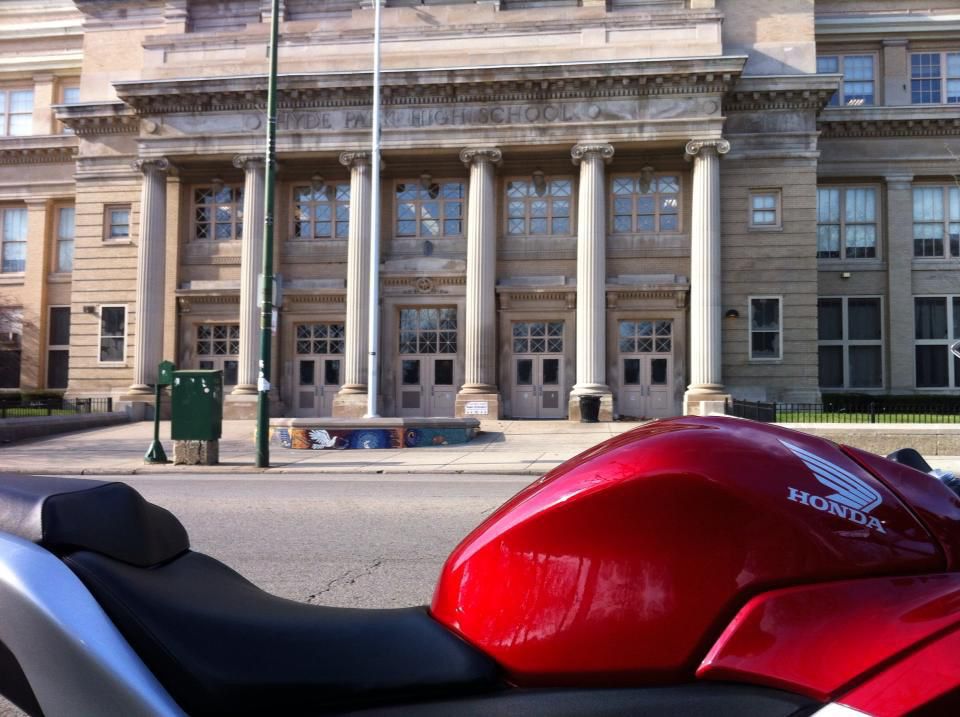
I rarely, if ever, use the "insert image" or "insert link" from the toolbar in the Forum's "Post" window.
So, this leads me to a few questions:
1. Am I posting my pictures in a way that makes them easy to see at the other end and am I using the most efficient and effective way to get my pictures posted?
2. What difference is it making when you "click to enlarge" and it takes you to an "s" url rather than an "i" url?
3. When someone here clicks on one of my pictures, can he see all of the pictures I have in PB or just that picture? or just that album?
I know that #2 above may involve repeating stuff that was already said in different words, but I'm not getting it yet.
like this (link modified slightly for demonstration purposes.. URLhttp://s1318.photobucket.com/user/emptysea43/media/17f1c276d0af8685b48d6b95ab6dbab3_zpsgjw0vrgx.jpg.html][IM]http://i1318.photobucket.com/albums...85b48d6b95ab6dbab3_zpsgjw0vrgx.jpg[/IMG][/URL...
and it appears like this

I rarely, if ever, use the "insert image" or "insert link" from the toolbar in the Forum's "Post" window.
So, this leads me to a few questions:
1. Am I posting my pictures in a way that makes them easy to see at the other end and am I using the most efficient and effective way to get my pictures posted?
2. What difference is it making when you "click to enlarge" and it takes you to an "s" url rather than an "i" url?
3. When someone here clicks on one of my pictures, can he see all of the pictures I have in PB or just that picture? or just that album?
I know that #2 above may involve repeating stuff that was already said in different words, but I'm not getting it yet.
Lord Popgun
Road warrior
Can't help with the i and s thing, but when I click on your pic, I see only the pic, but bigger. It does have the i prefix.

kennyw
Road warrior
Photobucket is redirecting you to the full website on purpose. That is how they generate revenue from ads. If you get the pop-up to display a picture only, that is a failure on their system, not the other way around. Allowing you to post pictures on their website and load them remotely from other websites like this forum costs them money (bandwidth usage) but they don't get the ad revenue until you click the link.

the Ferret
Road warrior
Sea If I click on it it directs me to that pic in your bucket..then I could either toggle one direction or the other to see your pics one at a time, OR click on EMptySeaXXX bucket and see all your pics at once. yOu must have your setting on public, allowing anyone to see your pics.
Lord Popgun
Road warrior
Ferret I wonder why that doesn't work for me. I get a picture, no way to toggle or see anything else. Unless its because right now I'm on a work computer. I'm going to try it at home after work.
the Ferret
Road warrior
well popgun, that was on my Ipad. Just came in to the PC and clicked on CBR above and all I got was a slightly larger pic .
I use Safari btw
I use Safari btw
Lord Popgun
Road warrior
I use Safari on my iPad and Win 7 on my home PC. I'll try it on both.
emptysea
Road warrior
Ok...set it to Private...can people still see the picture and what happens when you click on it?

Lord Popgun
Road warrior
OK, at work, now the link is an s, but no picture comes up.
Similar threads

- Replies
- 5
- Views
- 710

- Replies
- 5
- Views
- 527

- Replies
- 3
- Views
- 1K
