Feedback Welcomed

Thread starter
Randy B said:
I had another thought...

What is the possibility of enabling dark mode? I much prefer it as I'm sure a lot of guys do.

Because of some eyesight issues, I am on the other side of the fence and dark mode creates eye strain for me. Be that as it may, it is not all about me. :)

MyBB uses “Themes” which have to be hard coded to render a color scheme / design for a specific look and field. “Dark” mode would require a new Theme to be built and implemented if we want to remain true to the heritage of the CB1100 Forum. I have exhausted the funding I set aside for outside developers for this first phase.

There are also other “stock” themes which could be downloaded from MyBB which could be adopted. I struggle with that option because I feel an obligation to continue 

I would like to use this interface for now as is, but if membership and participation takes off and the majority of users favor a dark mode Theme, I will save some money get it done. If we may, let’s revisit this suggestion in the 4th quarter of this year. 

David
 
rdprdp01 said:
Randy B said:
I had another thought...

What is the possibility of enabling dark mode? I much prefer it as I'm sure a lot of guys do.

Because of some eyesight issues, I am on the other side of the fence and dark mode creates eye strain for me. Be that as it may, it is not all about me. :)

MyBB uses “Themes” which have to be hard coded to render a color scheme / design for a specific look and field. “Dark” mode would require a new Theme to be built and implemented if we want to remain true to the heritage of the CB1100 Forum. I have exhausted the funding I set aside for outside developers for this first phase.

There are also other “stock” themes which could be downloaded from MyBB which could be adopted. I struggle with that option because I feel an obligation to continue 

I would like to use this interface for now as is, but if membership and participation takes off and the majority of users favor a dark mode Theme, I will save some money get it done. If we may, let’s revisit this suggestion in the 4th quarter of this year. 

David

Sounds like the way to proceed.

Again, thank you sir for all you have done and are doing.
 
Thread starter
Randy B said:
rdprdp01 said:
the Ferret said:
David here's how the banner shows up on my Dell PC screen

OBbNeK1.jpg


it's fine on my Samsung tablet

Good morning, boss,

I believe if you open your browser and clear your cache, the banner will load properly. Depending on the browser you use, that clearing can happen by accessing

History then data then clear cached files

If you tell me what browser you are using, I will send you more detailed
instructions with screen shots. I am traveling for a few hours but can complete this assignment in the evening.

Have a great weekend. They are making me power down my phone. Please pardon any typos.

David

I am running Chrome. I cleared my files and pictures cache and restarted. It did not fix the issue.

Please clear your browser cache and reboot your computer. I optimized the banner graphic so it would load faster. I believe it will pull down the new version after the reboot. Thank you.
 
[quote="the Ferret" pid='320' dateline='1745192823']
The header now is displayed correctly for me too after rebooting my computer
[/QUOTE]

I think he fixed it rdprdp01.
 
I did, thanks. I edited the pic in my original post and it didn't transfer over onto Davids.
 
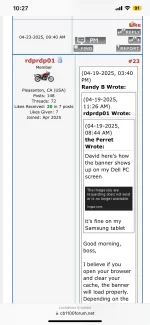
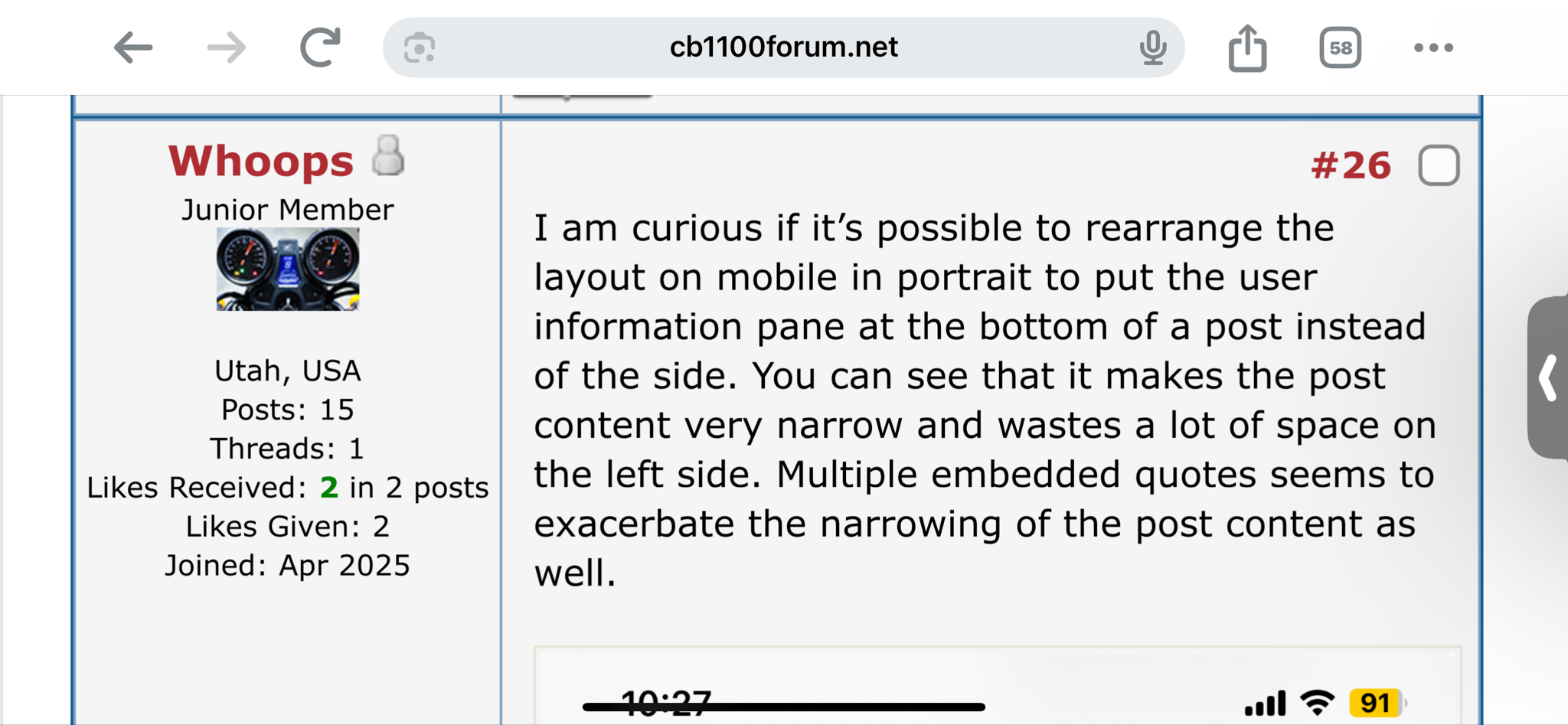
I am curious if it’s possible to rearrange the layout on mobile in portrait to put the user information pane at the bottom of a post instead of the side. You can see that it makes the post content very narrow and wastes a lot of space on the left side. Multiple embedded quotes seems to exacerbate the narrowing of the post content as well.

[attachment=49]
 

Attachments

  • Feedback Welcomed.jpeg.webp
    Feedback Welcomed.jpeg.webp
    105.5 KB · Views: 29
Thread starter
Good morning, Whoops,

I hope you are off to a great start this Sunday, and you have asked a great question, too.

We are posting content in what is called a Responsive Theme. A Response Theme senses both the device and in most instances the orientation of the screen of the device to auto-size and auto-scale the content to the boundaries we set for each window. This approach, which is more common than fixed or static windows, places more burden on the Forum Member to orient a screen first and then access our Forum.

On my iPhone, here is how your post looks when I turn it “sidewise” (landscape):

vrInZyW.png


As you can tell, there is a much greater use of the screen real estate to review a post, although it is slightly more awkward to type while holding a phone in a landscape orientation. This is ultimately where the Super Nerds who run things on the Internet have landed.

Any other approach we employ will stop the auto-scaling and auto-sizing, which may create an annoying step of Zooming In, Sliding Left, Sliding Right, Zooming out to read and post text.

It is my hope that we can live with the Landscape Orientation for reviewing posts on a phone. I welcome your thoughts.

On occasions, phones can be stubborn and refuse to reorient when it flipped. To force that to happen on an iPhone, please see helpdesk response from Apple:

Rotate the screen on your iPhone or iPod touch - Apple Support

I hope a hardcore Android user could post a similar link for that kind of phone.

When we have the data ported over in May, I plan to create documentation for how to work in this Forum as well as hold Zoom training sessions to assist Members with annoying stuff that makes their experience less than what I want it to be. More to follow there.

David
 
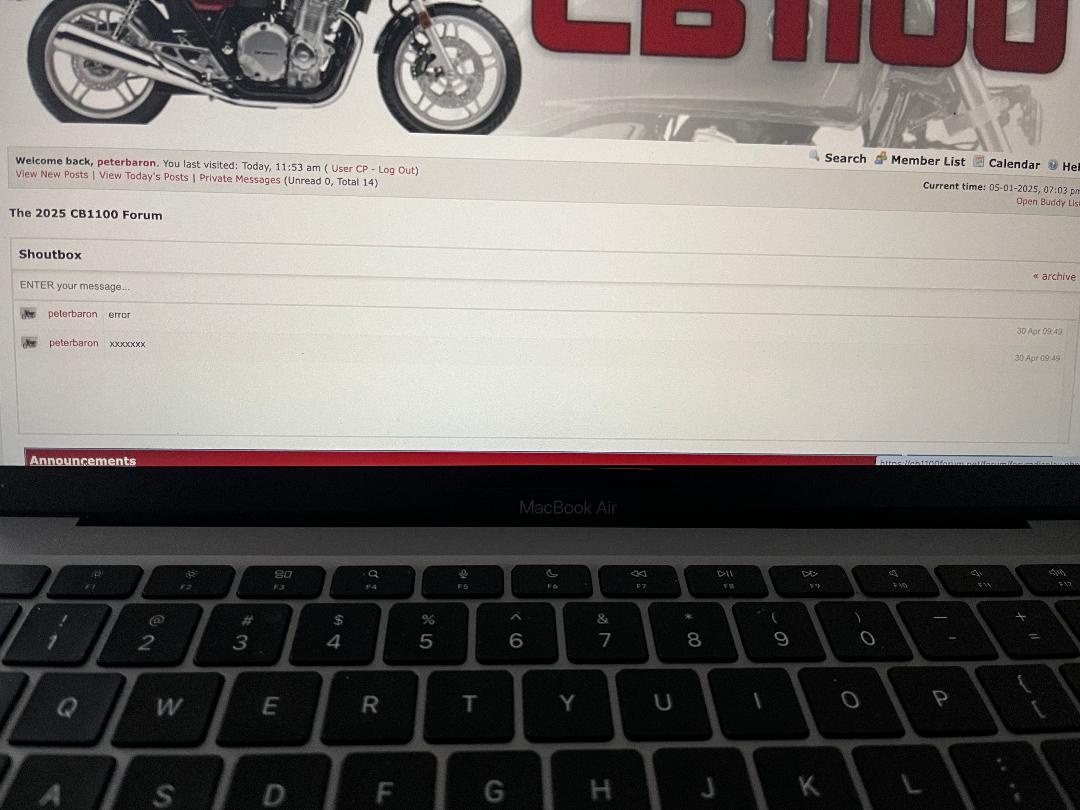
At 5:55 PM Eastern time it is 9:55 PM Forum time - nowhere in North America is it 9:55 PM when it is 5:55 PM Eastern time??
 
Hey PB,

I’ve been wondering about the time setting too.
 
Thread starter
Lord Popgun said:
Hey PB,

I’ve been wondering about the time setting too.

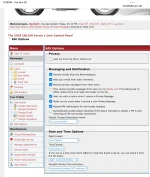
I believe the default setting allows each Member to define the time zone where they live in their profile. See my profile settings and note that I matched the time zone to my home state (California)

If that is problematic, please let me know if I should set a default for everyone and what time zone I should select. David
 

Attachments

  • IMG_0504.webp
    IMG_0504.webp
    168 KB · Views: 18
I don’t think setting the forum to one time is a good idea. Setting to your home TZ is beneficial in determining when a post was made. Having everything in UTC for example, would make it difficult for most users to figure out when something happened.
 
I agree with Whoops.
 
Tap/click on the word "Shoutbox" and it closes the window.
 
i see that right, you cant enlarge pics ? i must it first download to my pc ?

and my uploaded pics i see unsharp as long as I am not logged in ?
 
Pictures now scale to suit the size of the screen they're being viewed on.

Your photos look fine when I view them alprider, but when I logged off and looked them, they showed as thumbnails and were blurred. I tried to edit your post and I noticed that, although there were attachments they had not been inserted into the post — see the button to the right on each attachment. Maybe if you did that they would look better and not be blurred if you're not logged in?
 
Thread starter
alprider said:
i see that right, you cant enlarge pics ? i must it first download to my pc ?

and my uploaded pics i see unsharp as long as I am not logged in ?

Please login to the Forum when you are using it. Spectacular post. David
 
Thread starter
rdprdp01 said:
alprider said:
i see that right, you cant enlarge pics ? i must it first download to my pc ?

and my uploaded pics i see unsharp as long as I am not logged in ?

Please login to the Forum when you are using it. Spectacular post. David

I have not walked through the Use case you described in your post (still fixing broken links). Here is what I can contribute now:

You can embed a link from an Image Service like Imgur without any issues.
You can upload a picture less than 2MB in size directly from a computer, tablet, or phone without any problems.

I will reach out to you in a few weeks to walk through the problem you encountered and do everything I possibly can to correct it. I very much want all Members to share pictures in a manner that is easy for them. 

As for viewing things on the site, the default settings for MyBB has certain items turned on and off for guests vs Members. I have not changed any of those. That may be a contributor to what you are experiencing. After we have the data cleanup completed and changed the the size of the header, I would like the Members to consider what should and should not be available for Guests who browse the site and how far I should go to prevent BOTs from scanning content and placing strain on the Forum. More to follow on those subjects. David
 
Back
Top