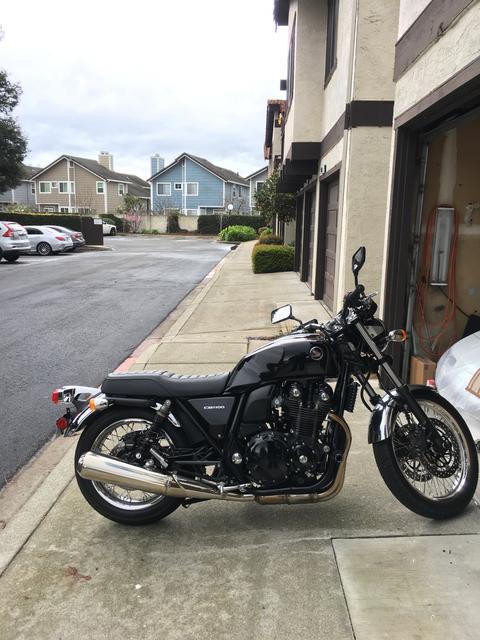
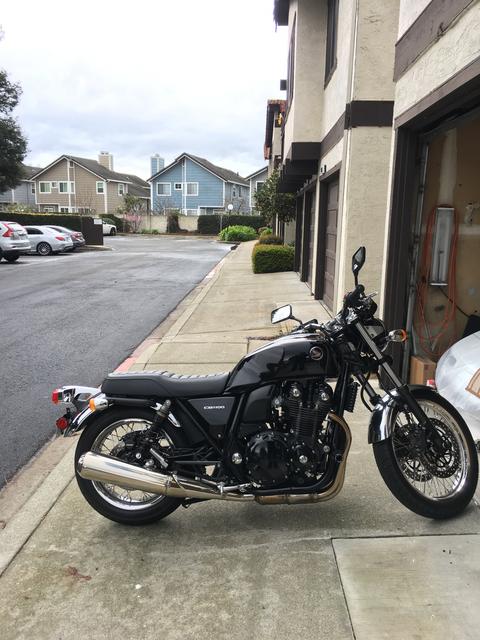
Can somebody help a moron posts some pictures?

FLYTYM_imp

Been there
Thread starter
I’ve opened a FLICKR account and I’ve transferred pictures over to the account but can figure out how to post them in a thread,I’m working on my iPhone 6 only,no computer. I used to have a Photo Bucket account and it was easy using it but since Photo Bucket got stupid and decided to hold everybody’s account hostage I won’t use it anymore.
 
FLYTM, if you know how to work Botophucket, keep using it. If you refuse to pay them, I think they will still let you share your photos, albeit with a watermark.

If they’ve cheesed you off so much you want out, try Imgur. It’s not as easy as Photobucket from a phone, but it works. I’m not sure Flickr does. If I’ve still got a Flickr account, I’ll check it and report back.

Basically, if you can’t find a URL that ends in “.jpg” or “.jpeg” or “.png”, it isn’t going to work.
 
Cormanus, thanks for helping out that moron :P

Sorry Flytm, couldn't resist. :D :beerchug:
 
Thread starter
KiowaEagle_imp said:
Try using Tapatalk on your phone. I've found it to be the easiest way to post pics.
Gee,not to be rude here but if I can’t even figure out how to use Flickr,how am I going to use Tapatalk?
 
Don't feel bad Flat out. Took me 2 years and help from Cormanus to get it. And yet, I jest with flytym above...
 
FLYTYM_imp said:
KiowaEagle_imp said:
Try using Tapatalk on your phone. I've found it to be the easiest way to post pics.
Gee,not to be rude here but if I can’t even figure out how to use Flickr,how am I going to use Tapatalk?
Tapatalk isn't an image hosting site. You actually use it to browse this forum or others. What's nice about it is posting pictures is as easy as picking a picture on your phone, that simple. It's not my go to for browsing the site, I think it could do a better job with that. But posting pics is a breeze.
 
Flytym, there too many http:// in the link. It needs to be either http:// or https:// but not both.

I'm not sure which as neither work from my work computer.
 
Sorry Flytym, I don’t know how postimg works. In your case you just have the url wrong. You cannot have it with more than one http or https in front. I just edited your posting to get it right.

Cormanus is the expert on image posting so hopefully he will see this and help you out.

I will say I use photobucket. But, I can’t get it to work totally with my iPad and have to use my PC. For some reason I can’t get the URL to copy so I can paste it into a post here. But works ok on a PC.
 
FLYTYM_imp said:
KiowaEagle_imp said:
Flytym, you need to use either https:// or http://, you can’t use both. From what popgun just said you should use CB628B71 AC84 4D8B B150 25DBFE68EC96 — Postimages.
I know this but which option to us on the option list after the picture in downloaded?
I know this but which option to us on the option list after the picture in downloaded? Ok, I chose the post image icon and tried posting as http and https but each time it just comes out as below.

23b47e44718fe4ce362296845124f468.


I’m not sure why. Like I said before I use Tapatalk to post pics mainly because I find this process so infuriating....lol
 
FLYTM, Postimage is a great image hosting site, I reckon. Way better than Flickr for the purposes of sharing photos easily. I can find a way to share your Flickr image, but it's tricky and requires calling up the page source code. But it works:

fa0b4a4b45a8bc04576deea4ad2e3c40.jpg


Do you get the advice popgun and KiowaEagle are giving you about not being able to use both http:// and https:// together? It will be one or the other. Most times these days, particularly with commercial sites it will be https://.

Anyway, none of that matters with Postimage.

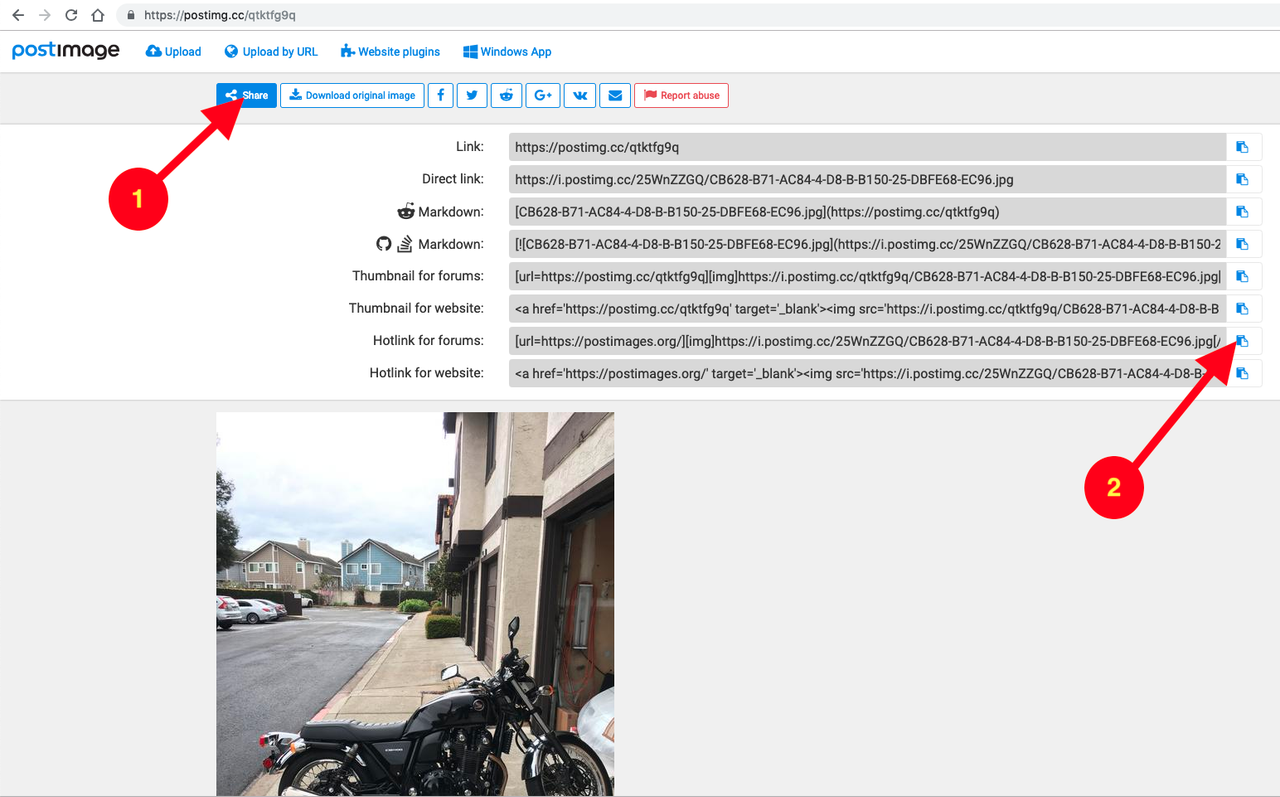
If you follow your link, CB628B71 AC84 4D8B B150 25DBFE68EC96 — Postimages, you'll see this screen:


Click (1) on <Share> and you'll see this:

[url=https://postimg.cc/LYBQg9LX]

Click (2) on the little icon at the end of the box that says <Hotlink for forums>. This will copy the information you need to the clipboard of your device. Then go to your post and select paste. On the screen, you'll see something like:

Code:
[url=https://postimages.org/]
But, when you post or preview your post, you should see this:

[url=https://postimages.org/]

By way of explanation, the Forum software looks for 'tags' to tell it to do something special. It encloses those tags in square brackets [] and needs both an opening and closing tag. The closing tag will look like [/]. That tells the software to stop doing something. IMG is the tag you need to display pictures. So, if you type,

Code:

and 'A URL' displays a picture, the forum should display that picture. A word, though. If the URL does not end with '.jpg' or '.jpeg' or '.png' it is not likely to work. I've no idea why.

I hope that makes sense. Let me know if it doesn't.
KiowaEagle_imp said:
FLYTYM_imp said:
I know this but which option to us on the option list after the picture in downloaded?
I know this but which option to us on the option list after the picture in downloaded? Ok, I chose the post image icon and tried posting as http and https but each time it just comes out as below.

23b47e44718fe4ce362296845124f468.


I’m not sure why. Like I said before I use Tapatalk to post pics mainly because I find this process so infuriating....lol
KiowaEagle, see the information above. Your link (http://http//postimg.cc/qtktfg9q) won't work because it makes the same mistake as FLYTM's earlier link. It also won't work because the link is to a page CONTAINING a picture rather than to the picture itself.
I have to absent myself for a wee while, but I'll be back later and can answer more questions.
 
Back
Top