Thread Rating:
  • 0 Vote(s) - 0 Average
  • 1
  • 2
  • 3
  • 4
  • 5
First 1K
Author Message
davidantoniocostarica_imp Offline
First Service Completed


Posts: 40
Threads: 6
Likes Received: 0 in 0 posts
Likes Given: 0
Joined: Mar 2015
First 1K
#1


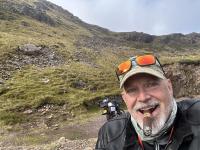
Ohh it's beautiful the behavior today , more soft gears,break's and motor !! [Image: a09039c2efeb4ab36bfdde7428071a9c.jpg]


05-10-2015, 07:13 AM
Find Reply
emptysea Offline
Road Warrior

Chicagoland USA
Posts: 5,039
Threads: 137
Likes Received: 167 in 66 posts
Likes Given: 82
Joined: May 2013
RE: First 1K
#2


Congrats on the milestone.

@Forum gurus...how do we make pictures smaller without thumbnailing them?


05-10-2015, 07:17 AM
Find Reply
Cormanus Offline
Moderator

Queensland, Australia
Posts: 16,278
Threads: 346
Likes Received: 827 in 455 posts
Likes Given: 959
Joined: Apr 2025
First 1K
#3


Yes, David, congratulations on the milestone.

ES, good question. David's photo is very large 2592 x 1456 pixels and about 1.5MB. I think, but I'm not certain that's why it appears so large. Reducing it in size before linking to it should make it display better, but that requires using a photo editing program or some other bit of software. Here I've reduced it to 1366 x 768 pixels and it still looks too large.


The other trick requires some knowledge of the MyCode—the code used by the forum software to display images. See the bit on photo size [url=http://cb1100forum.com/forum/misc.php?action=help&hid=7] in the forum's help section.

This requires stipulating the dimensions in pixels of the image to be displayed which requires you to do a bit of work to maintain the aspect ratio.

Using that process, David's picture can be made to look like this—

[Image: bcc9d366b67739922c5b31452a4b9fe7.jpg]

which looks decidedly odd. Or like this which looks decidedly better.

[Image: 164f8bd29b37c66f933dbb40d1ae66b2.jpg]

The MyCode looks like this (but without the spaces immediately inside the square brackets. I've done that so you can see the code because for the life of me I can't find out how to display code. Guth? Help?

David's original post:

[ img ]http://images.tapatalk-cdn.com/15/05/10/ad515ea491cd6da9cdf09266c5e69fb4.jpg[ /img ]

The decently resized post

[ img=800x449 ]http://images.tapatalk-cdn.com/15/05/10/ad515ea491cd6da9cdf09266c5e69fb4.jpg[ /img ]

The numbers are the size of the image in pixels.

Hope that makes sense.

It all makes me wonder whether I should reduce the size of the images I use in ride reports even more. I've just cked and the process I use to upload them to PhotoBucket reduces them to 1024 x 768 which seems OK to me, although I use a reasonable resolution screen.

NOTE: This post looks weird on Tapatalk which uses its ow.n cunning algorithms to deal with picture size.


05-10-2015, 10:10 AM
Find Reply
davidantoniocostarica_imp Offline
First Service Completed


Posts: 40
Threads: 6
Likes Received: 0 in 0 posts
Likes Given: 0
Joined: Mar 2015
RE: First 1K
#4


I see all pics same in tapatalk ...
And very thanks for you great's!!


05-11-2015, 06:34 AM
Find Reply
Cormanus Offline
Moderator

Queensland, Australia
Posts: 16,278
Threads: 346
Likes Received: 827 in 455 posts
Likes Given: 959
Joined: Apr 2025
First 1K
#5


David, If you display this thread original in a browser, you'll see the problem. Try it on the 'web view' in Tapatalk.


05-12-2015, 07:44 PM
Find Reply


Forum Jump:


Users browsing this thread: 1 Guest(s)