Thread Rating:
  • 0 Vote(s) - 0 Average
  • 1
  • 2
  • 3
  • 4
  • 5
Posting Pictures with Imgur in 2018
Author Message
michael1954 Offline
Been There

Odem, Texas
Posts: 440
Threads: 18
Likes Received: 18 in 11 posts
Likes Given: 2
Joined: Oct 2019
RE: posting pictures with imgur in 2018
#11

(05-29-2018, 07:45 AM)max_imp Wrote: A small search on the cb1100 forum did not reveal a complete method to post pictures, so i thought it may be an idea to do a step by step way to get more members posting starting with how to open an account with imgur ( a free image hosting internet service ).

here's the link;
https://imgur.com/

Click on any of the following pictures to get a detailed bigger view in a new window.


You need to click on sign up and provide the following information;

[Image: 219e3e215a0336a25097044757d9595a.png]

once complete click on "next";


check the box "i am not a robot"

[Image: 95e1ee58f947d3be98fd795fc019676d.png]


the next page looks like this;

[Image: 062ea7e620d676003f1a7c3e4be47388.png]

Click on "register"


You can see your new username in this page now.
As you are now registered with a new account.

I would recommend to bookmark this page to make it easy to find it in your browser.

[Image: 3051263d4b072c1aefa6cf1fe69553fb.png]

Hover the mouse over your username in the right top corner and click on "images".


This page opens and click on "browse".

[Image: e6d093b3e72daf5f4bdd5e7b23667f09.png]

A window opens and you can now go to the folder where the picture is stored on your computer, select one or highlight multiple images and click on "open" or whatever box you normally use to open pictures on your pc.

[Image: e8f21b02b751d8ae1aa11bf171a5074b.png]

imgur will now download the image ( s ) and display a progress bar in this page;

[Image: dabc7888405daa2aa2432e66fff77bbb.png]

Once the images are downloaded the page opens with your image;

[Image: e8ddc830e67532c01aed446637e83d15.png]

Once more hover the mouse over your username and select images;

[Image: bb9b32469a9b6ff796898fee8eddc2fa.png]

Your images page appears and now click on the image you want to post;

[Image: 09f84a8376a7f5207801cac651067bc8.png]

select the second from the bottom "BBCode" and click on "copy".
The cell next to it now highlights green.

now you can go to your post on the cb1100 forum, put the cursor on the line below your text and rightclick
'paste".

The link pastes itself onto your edit space and should look like this;

[Image: f3ffc6eec4611b270a053ba22f506624.png]

If you now click on "preview post" it will take you to the preview page and you can check if all is as you intended.

[Image: f70c5c41815d4d5b3d58a58408719d66.png]

If all is as you intended to be you can now click on "post thread" and it will take you to your post as usual.

To see the picture in original size hover the mouse over the picture and when the pointer turns into a "hand" click on the picture and it will open in a new window, if you click on that window again it will magnify that part of the picture even more to show small details and focus on the part of the picture on which you clicked the mouse.


This is an economical way to post as it takes a very small amount of storage ( 20 bytes ) on the forum ( which Guth pays forWorship ) as opposed to the data required when the actual photo's ( 12 megabytes ) are stored in the forum server and is a better way instead of posting attachments ( storage ) to the forum, again; less cost to the forum management.

Good luck, it looks longwinded but is actually very intuitive once you have done it a few times, nothing to be scared about, it's only ones and zero's.Beer

max
Thanks so much. These are the best instructions I have ever seen on how to post a pix. Will do it tomorrow as soon as I takes some pixs of my CB's.

PS....should I include the Z900RS?


03-31-2020, 04:00 PM
Find Reply
Cormanus Offline
Super Moderator

Queensland, Australia
Posts: 16,119
Threads: 342
Likes Received: 666 in 365 posts
Likes Given: 775
Joined: Apr 2025
RE: posting pictures with imgur in 2018
#12

Yes please.


03-31-2020, 05:47 PM
Find Reply
enzo_imp Offline
Running Like a Top


Posts: 179
Threads: 10
Likes Received: 0 in 0 posts
Likes Given: 0
Joined: Jul 2013
RE: posting pictures with imgur in 2018
#13

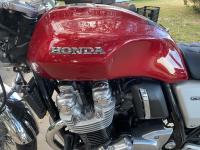
[Image: 318eba54e711afed1239bd5adf398b67.jpg]
It does work.
South Australia Port Lincoln Cape Catastrophe 2020
Regards to all.
Enzo


04-22-2020, 11:47 AM
Find Reply
michael1954 Offline
Been There

Odem, Texas
Posts: 440
Threads: 18
Likes Received: 18 in 11 posts
Likes Given: 2
Joined: Oct 2019
RE: posting pictures with imgur in 2018
#14

Thanks! max, just posted my first pictures here. Your instructions are super! Michael


05-23-2020, 05:24 PM
Find Reply
j3gq_imp Offline
Been There


Posts: 703
Threads: 78
Likes Received: 0 in 0 posts
Likes Given: 0
Joined: Sep 2020
RE: posting pictures with imgur in 2018
#15

I have read the fine-print on imgur all the way and back. There is no word on how long they will keep a picture, and in particular what happens if a file is not downloaded for a while by anybody. A forum needs stability / availability at least on some posts. Any thoughts on this ?


10-18-2020, 09:25 PM
Find Reply
bioman_imp Offline
Running Like a Top


Posts: 235
Threads: 13
Likes Received: 0 in 0 posts
Likes Given: 0
Joined: Sep 2019
RE: posting pictures with imgur in 2018
#16

Very good point. In addition to the possible shorter-than-expected life span of IMGUR, I have seen a case on an other forum where suddenly its previously posted pictures where no longer available because the picture hosting site introduced a payment scheme: Photobucket.com used to be free - then started to charge an annual fee and until the forum paid that fee the previously posted pictures where no longer visible.

Of course nothing lasts forever, certainly not in "the cloud" (except when you actually TRY to remove a picture off the Internet! Confused ), but it would be nice if some of the pictures (especially instructions "how-to-...") were available for many years to come.

What are the options?


10-19-2020, 05:55 AM
Find Reply
peterbaron Offline
Road Warrior

ON, Canada
Posts: 6,964
Threads: 93
Likes Received: 417 in 234 posts
Likes Given: 826
Joined: Apr 2025
RE: posting pictures with imgur in 2018
#17

I've used imgur almost since my registration...just recently they ask for a support...so do not know what might be next. And a few times had to sign out and sign in again to have access to my pics...maybe there is something going on?????


10-19-2020, 07:50 AM
Find Reply
Cormanus Offline
Super Moderator

Queensland, Australia
Posts: 16,119
Threads: 342
Likes Received: 666 in 365 posts
Likes Given: 775
Joined: Apr 2025
RE: posting pictures with imgur in 2018
#18

It's hardly surprising that hosting sites ask for help. Unless they can defray their costs by selling advertising or data, what other source of income do they have? That's what happened to Photobucket, I suspect: it was a victim of its own success and suddenly found the advertising revenue was going nowhere near covering costs. Sadly the pricing regime the company put in place was so outrageous that most people simply cut their losses and walked away.

The only truly effective way around it is for individual forums to host the photos, but even then it's always possible the forum will fold.


10-19-2020, 08:04 AM
Find Reply
GoldOxide_imp Offline
Road Warrior


Posts: 12,677
Threads: 77
Likes Received: 3 in 3 posts
Likes Given: 0
Joined: Dec 2014
RE: posting pictures with imgur in 2018
#19

(10-19-2020, 08:04 AM)Cormanus_imp Wrote: It's hardly surprising that hosting sites ask for help. Unless they can defray their costs by selling advertising or data, what other source of income do they have? That's what happened to Photobucket, I suspect: it was a victim of its own success and suddenly found the advertising revenue was going nowhere near covering costs. Sadly the pricing regime the company put in place was so outrageous that most people simply cut their losses and walked away.

The only truly effective way around it is for individual forums to host the photos, but even then it's always possible the forum will fold.

That is quite true Cormanus, and the cause may have nothing to do with storage, but the quality of the Forum membership.


10-19-2020, 12:23 PM
Find Reply
emptysea Offline
Road Warrior

Chicagoland USA
Posts: 5,024
Threads: 136
Likes Received: 135 in 57 posts
Likes Given: 65
Joined: May 2013
RE: posting pictures with imgur in 2018
#20

Anyone else having trouble uploading HEIC format pictures to imgur? Looks like you have to convert HEIC photos to JPG in order to add them. It's adding at least two additional steps to the upload process which I find annoying. However, maybe I'm missing something very obvious -- hope so.

If this should be posted elsewhere, please feel free to move it -- or remove it entirely if it's been answered someplace else herein.


06-01-2021, 04:58 AM
Find Reply


Possibly Related Threads…
Thread Author Replies Views Last Post
  Posting pictures using only the Forum software Cormanus 1 1,434 07-16-2025, 09:45 PM
Last Post: rdprdp01
  Posting pictures directly to thread w/o hosting service Frulk_imp 1 207 10-02-2024, 07:23 AM
Last Post: Cormanus
   My review of the CB1100 (2018 EX) Tev62 37 2,067 02-08-2021, 04:41 PM
Last Post: Jfro5687_imp
   Switched on Ignition Relay Install - 2018 Ex Tev62 9 545 01-03-2021, 06:57 AM
Last Post: Tev62
  Image posting I am going to learn how to post better to the forum Doug Shepard_imp 6 412 01-26-2019, 05:49 AM
Last Post: Doug Shepard_imp
   another picture posting test... rotor 5 367 06-12-2018, 02:40 AM
Last Post: the Ferret
  Posting pictures directly on the site KiowaEagle_imp 1 171 05-29-2018, 04:37 PM
Last Post: tuareg_imp
  I tried.....posting a pic. el duque_imp 6 407 02-28-2018, 04:03 PM
Last Post: Cormanus
  faster to 2018 alprider 4 262 12-31-2017, 07:11 PM
Last Post: alprider
  2018 HONDA CB1100RS/US MODEL peterbaron 1 174 11-07-2017, 06:39 AM
Last Post: nhawk7504_imp

Forum Jump:


Users browsing this thread: 1 Guest(s)